Log flights from your boarding passes: screenshots, Wallet and the camera
The short answer: TripStow now reads the barcode on any boarding pass and logs the flight for you, with your seat, cabin and booking reference. Forward it by email, pick old screenshots from your photos, scan it with the camera, or share it straight from Apple Wallet. It is free.
Why boarding passes
Booking emails get lost, change, or never arrive when someone else booked. The boarding pass is the one thing every flight leaves behind, and most of us have years of them sitting in our camera roll or in Wallet.
Every airline boarding pass carries the same barcode, an Aztec, PDF417 or QR code that holds the flight number, the airports, your seat, your booking reference and your check-in number. TripStow reads that barcode exactly, without AI, so what goes into your trips is what the airline printed.
Four ways to add one
- Forward it. Send the airline's check-in email, a screenshot, a PDF boarding pass or a Wallet pass to your own TripStow address, the same one you forward bookings to. Several in one email is fine.
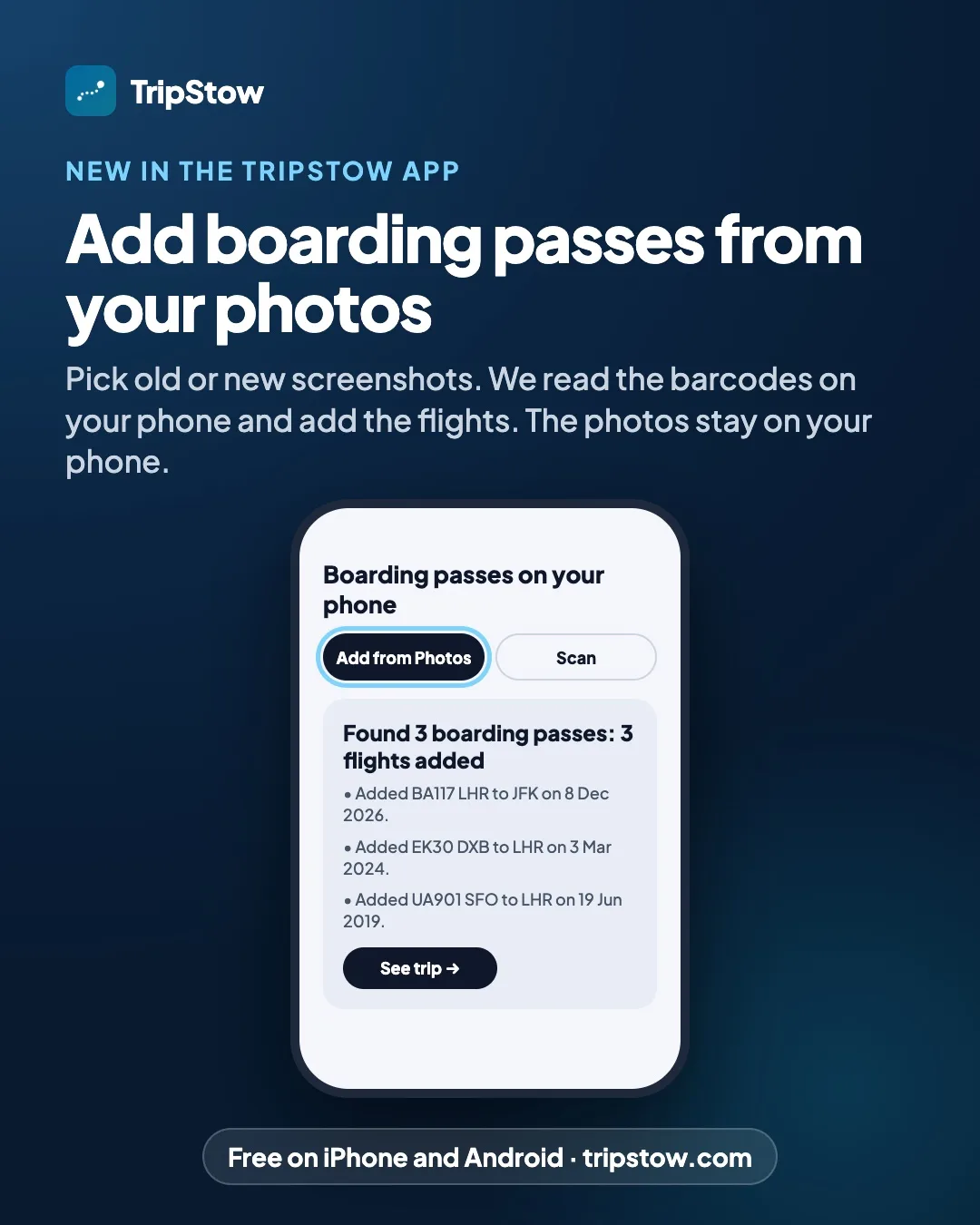
- Add from Photos. In the app, open Add plans and tap Add from Photos. Pick as many screenshots as you like, old or new. The barcodes are read on your phone and only their text is sent, so your photos never leave it.
- Scan. Tap Scan and point the camera at a paper pass, or at one on another screen.
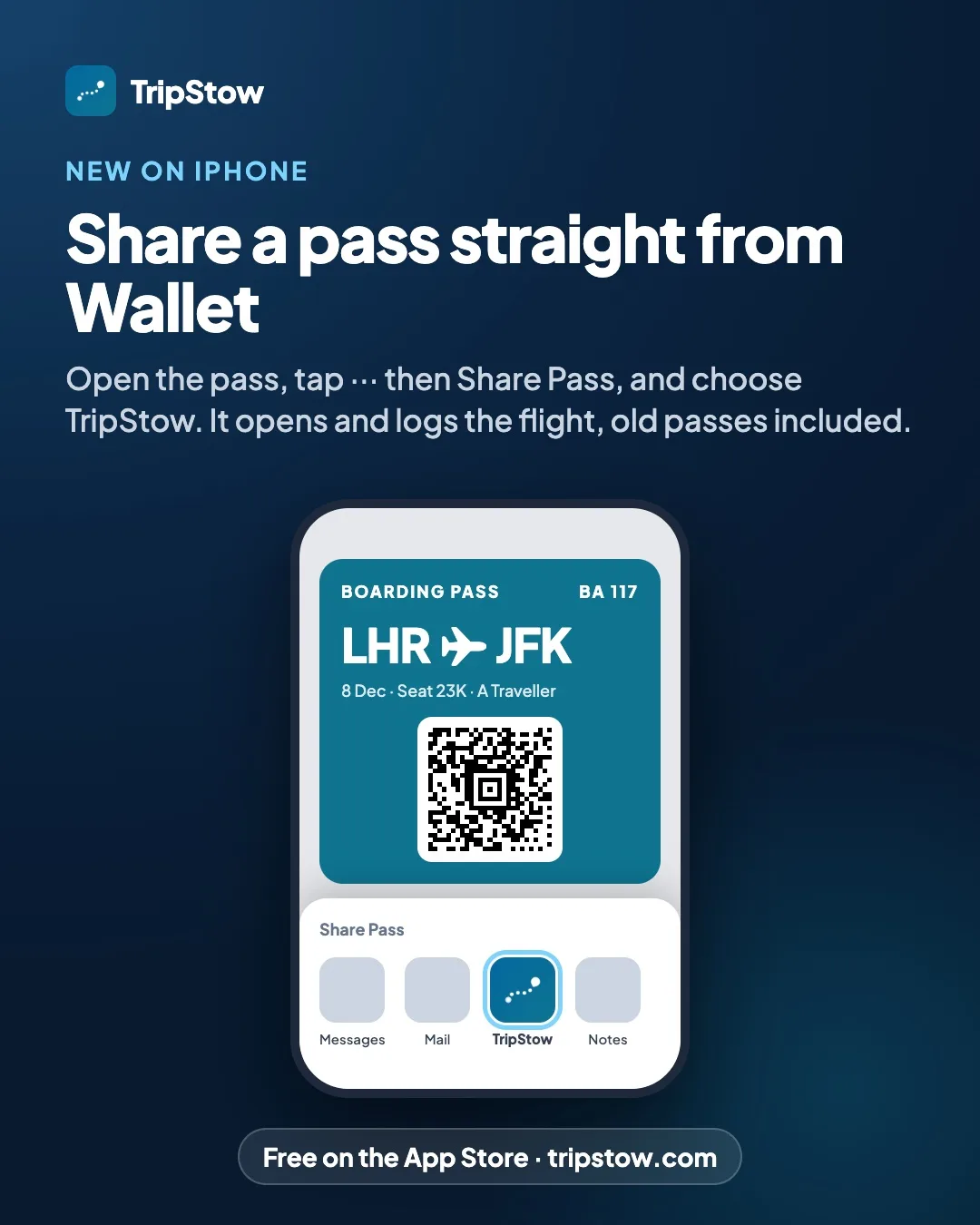
- Share it. On iPhone, open a pass in Wallet, tap ··· then Share Pass, and choose TripStow. You can also share screenshots or a PDF to TripStow from any app, on iPhone and Android, and on iPhone the Add to TripStow shortcut works in Shortcuts too.
Photos, Scan and sharing are in version 1.0.4 of the app, rolling out now on the App Store and Google Play. Forwarding works today, from any phone or computer.
What happens to the pass
- A flight you already have gets the details it is missing: seat, booking reference, cabin and check-in number. Nothing you entered yourself is ever changed.
- A flight that is not in TripStow yet is added and filed into the right trip, with its departure time where we can find it.
- A codeshare stays one flight. If your booking says AA6995 and the pass says BA284, TripStow knows they are the same seat on the same plane.
Every pass you add shows in your Inbox, where one tap undoes it.
The right year, every time
There is a catch with boarding passes that most apps ignore: the barcode has the day of the flight, but not the year. A pass for 15 November could be from 2021 or from this week.
TripStow never guesses. It places a flight only in a year it has evidence for: the date in a Wallet pass, the date printed in the email, when the photo was taken, or the same flight already in your account. Many passes also record when they were issued, which rules out the wrong years. If nothing says which year, it tells you and adds nothing, so an old screenshot never turns into a trip next week.
Your seat, counted
Once your passes are in, your travel stats know where you sit, window or aisle, and how often you fly each cabin. Every flight also goes onto your travel map and into your lifetime totals.
Start with the passes you already have
TripStow is free on the App Store, on Google Play and at tripstow.com. Open Add plans, tap Add from Photos and see how many flights are hiding in your camera roll.